How to Reconcile Crypto Payments at Month-End (Without a Block Explorer)
A practical method for reconciling crypto invoice payments at month-end in 2026 — mapping on-chain transfers to invoices, handling partial payments, and exporting clean records.
TL;DR
Month-end reconciliation breaks when you try to match raw wallet transfers to invoices after the fact. The fix is structural: use invoice-scoped deposit addresses so each payment maps to exactly one invoice, record the fiat value at time of payment, and export a CSV with invoice numbers attached. Done right, the Etherscan sprint disappears.
I run product at Settlematic, so treat this as biased but grounded in how finance teams actually close the books.
Why crypto reconciliation is painful by default
If you accept crypto by pasting one wallet address into emails, every client pays into the same address. At month-end you're staring at a list of incoming transfers with no labels, trying to remember which transfer was which client and which job. You also have to look up the fiat value of each coin on the day it was received, because that's what your books need — and that value isn't stored anywhere. Multiply by several clients, several assets, and several chains, and you've built yourself a two-day reconciliation problem every month.
The structural fix: one address per invoice
The cleanest solution is to stop sharing one address. When each invoice gets its own invoice-scoped deposit address, an incoming transfer maps unambiguously to a single invoice and client. Reconciliation stops being detective work and becomes a lookup. This is one of the main reasons invoicing platforms exist rather than bare wallets.
A repeatable month-end method
- Confirm all invoices reflect their on-chain status. Sent, viewed, partially paid, paid, overdue — the platform should already have updated these as payments landed.
- Handle partial payments explicitly. If an invoice took two payments in two assets, your record should show both legs against one invoice number and a closed balance. See partial payments.
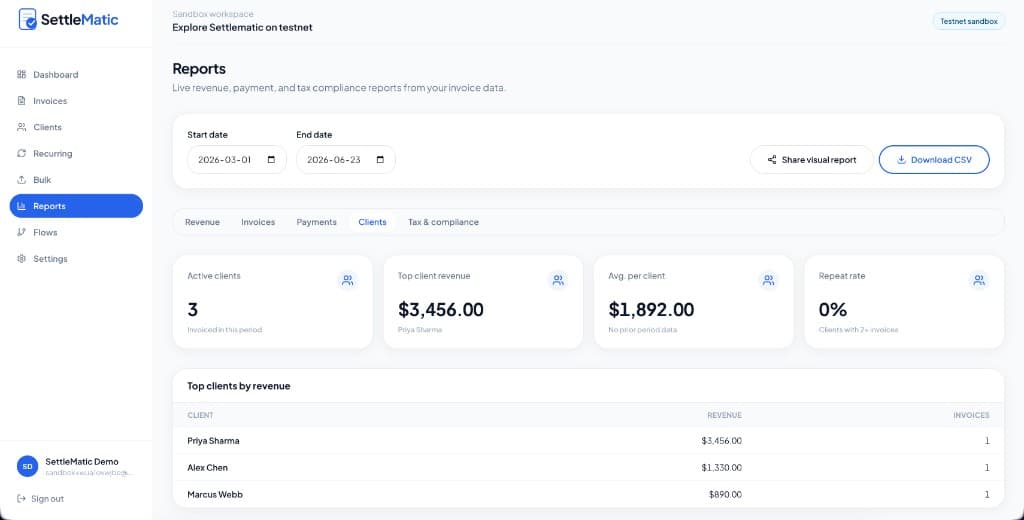
- Pull the export. A CSV with invoice number, client, fiat value at time of payment, date, asset, and transaction reference. (Reporting & exports.)
- Import to your accounting system. Because invoice numbers and fiat values are already attached, the import maps to your chart of accounts without manual coin-price lookups.
- Flag exceptions, not everything. Underpayments, overpayments, and anything still open are the only rows that need human attention.
The detail that saves the most time
Record the fiat value at the moment of payment automatically. This is the single field that, when missing, forces you back to a price history and a calculator. When the platform captures it at payment time, your books have what they need and your accountant stops asking you for "the dollar value on the day."
What good looks like
A fifty-invoice month should close in minutes of review, not a two-day sprint. If your current process involves opening a block explorer at all during reconciliation, that's the signal your tooling isn't doing the mapping for you. We wrote the deeper finance view in the tax reporting guide.
Try it
Run a free testnet workspace, create a couple of invoices, pay them, and export the CSV to see exactly what your bookkeeper would receive.
Explore Settlematic
Ready to try the workflow in your own workspace? Start on testnet, then explore our how it works guide and product features.