How to Send a Crypto Invoice and Get Paid in USDC (Step by Step)
A simple step-by-step guide to creating and sending a crypto invoice in 2026 and getting paid in USDC — hosted payment page, multi-chain checkout, and non-custodial settlement.
TL;DR
Create a fiat-denominated invoice, allowlist USDC on the chains you want, send the hosted payment link, and let the platform detect the payment and sweep it to your wallet. The whole thing takes minutes once set up. Here's the walkthrough.
I run product at Settlematic; this is biased but practical, and the steps apply to any non-custodial invoicing platform.
Before you start
You need two things: the fiat currency you want to quote in (USD, EUR, GBP), and a destination wallet you control for the funds to land in. In a non-custodial setup that wallet is yours, not a platform balance — which is the point.
The walkthrough
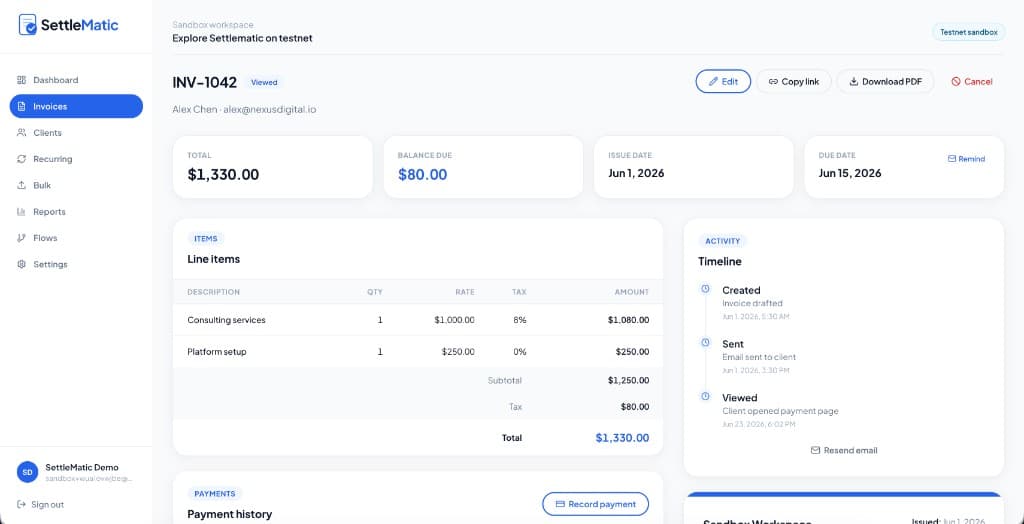
- Create the invoice. Add your client, line items, amounts in your chosen fiat currency, and payment terms. Add tax lines if your jurisdiction requires them.
- Allowlist USDC and the networks you accept. USDC exists on several chains — Ethereum, Polygon, Solana, and others. Pick the ones you want to receive on. Restricting the list prevents a client paying on a network you don't support.
- Set the destination wallet funds sweep to. You can often split across wallets by percentage — for example, operating and reserve.
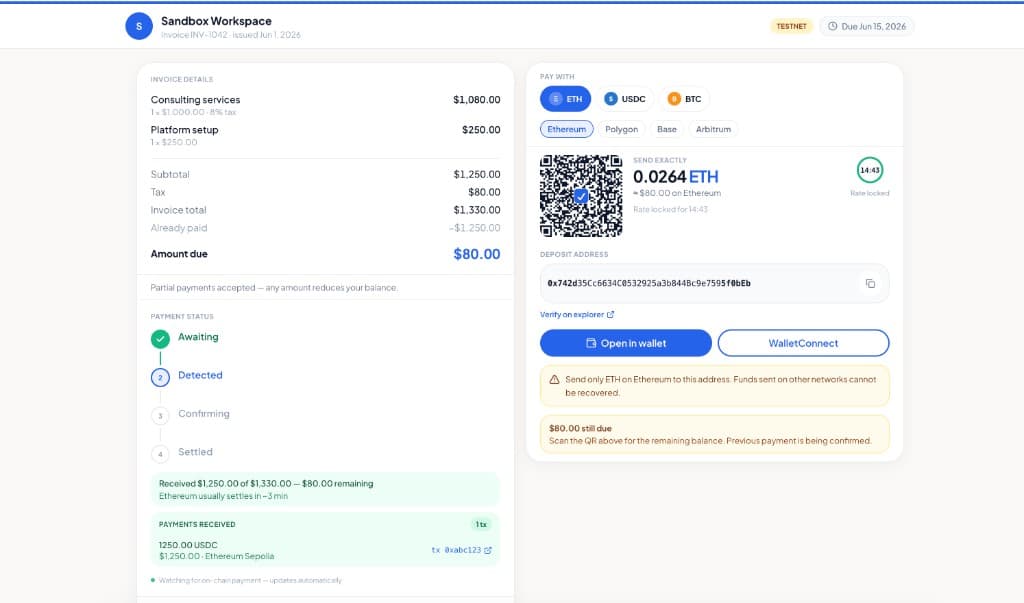
- Send the hosted payment link by email or any channel. The client opens it, selects USDC and a network, and sees the exact amount due plus a QR code.
- Client pays. The platform watches the chain, confirms the payment, and updates the invoice status.
- Funds sweep to your wallet. You receive USDC directly; the platform never holds your keys.
Why USDC specifically works well for invoicing
USDC is a dollar-referenced stablecoin, so the amount your client sends maps cleanly to the dollar figure on the invoice without volatility between sending and paying. That makes reconciliation simpler and removes the "the price moved" conversation. It's available across multiple chains, so clients can pay on whichever network has acceptable fees for them — many choose lower-fee chains for smaller amounts.
Avoiding the one common mistake
Switch on testnet and pay yourself first. Send a test USDC invoice, pay it from a test wallet on each network you plan to allow, and confirm the status updates and the sweep works before you put a real client through it. Ten minutes here prevents the classic support headache of a client sending funds on the wrong chain.
Try it
Create a free workspace and run a testnet USDC invoice end to end to see the flow before going live.
Explore Settlematic
Ready to try the workflow in your own workspace? Start on testnet, then explore our how it works guide and product features.
Frequently asked questions
- Which chain should I accept USDC on?
- Whichever balances fees and convenience for your clients. Lower-fee chains suit smaller invoices; some enterprise clients prefer Ethereum. Allowlisting more than one gives the client a choice.
- Do I need the client to have an account?
- No. The hosted payment page works without the client signing up — they open the link and pay from their wallet.
- Can the same invoice accept part-USDC, part-ETH?
- On platforms that support partial multi-asset payments, yes — one invoice can take a USDC payment and an ETH payment and track the running balance. See partial payments.